Best Password Manager for Small Business: What to Look For
Running a small business often means managing dozens of online accounts, including business email, accounting software, customer databases, cloud storage, social media, and website administration. Each account needs strong login credentials, but remembering a different password for every service can quickly become difficult.
Unfortunately, reusing passwords or storing them in unsecured documents can expose business accounts to unnecessary risks. A password manager for small business offers a more organized way to create, store, and share credentials while helping employees follow better security practices.
In this guide, we explain how business password managers work, which features matter most, how to compare costs, and what to consider before choosing a solution for your team.
What Is a Password Manager for Small Business?
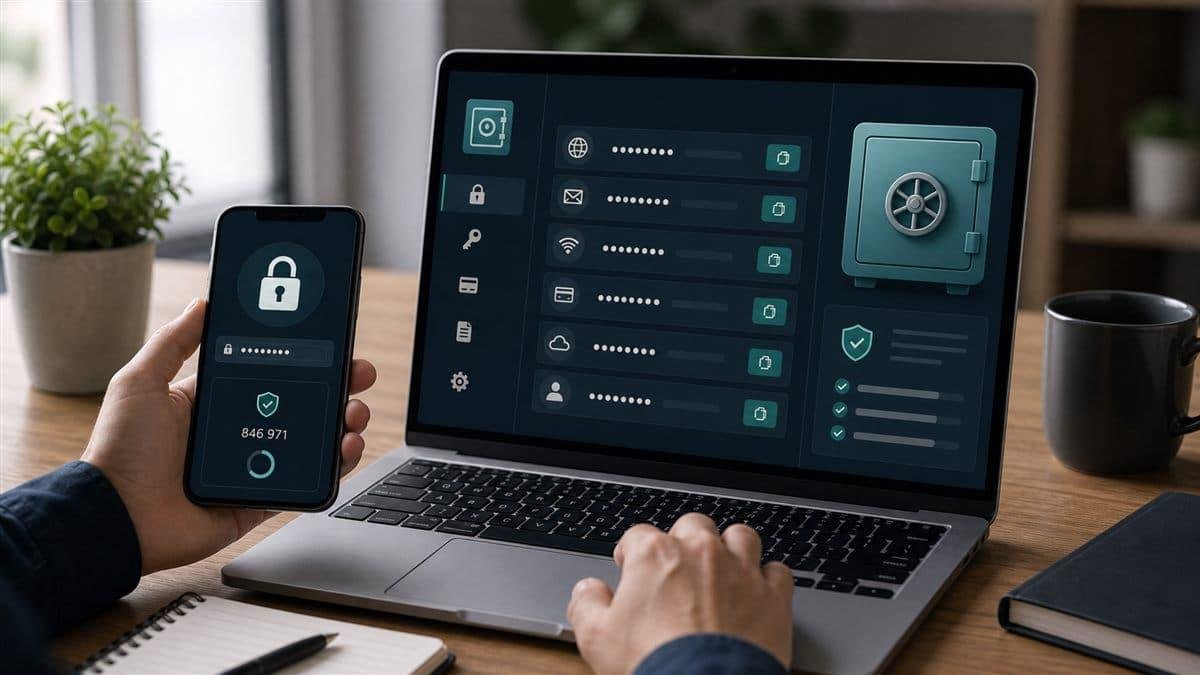
A business password manager is a software application that stores login credentials in an encrypted vault. Instead of remembering every password, authorized users access their saved credentials through a master password and, where supported, additional authentication methods.
Many password managers can also generate strong passwords, autofill login forms, identify weak or reused credentials, and securely share selected passwords with colleagues.
Business-focused solutions may offer additional administration features, including team vaults, permission controls, user provisioning, security reporting, and the ability to revoke access when an employee leaves.
These capabilities make password management useful for organizations that rely on multiple cloud applications and online services.
Why Small Businesses Should Use a Password Manager
1. Reduce Password Reuse
Using the same password across several websites creates a serious security weakness. If one service experiences a data breach, attackers may attempt to use the exposed credentials on other platforms.
A password manager helps employees generate and maintain unique passwords for individual accounts. This reduces dependence on memorized passwords and makes consistent security practices easier to maintain.
2. Create Stronger Passwords
Strong passwords should be difficult to guess and should not be reused across unrelated accounts.
A password generator can create long, random passwords without requiring employees to invent and remember them manually.
For important accounts, combine unique passwords with multi-factor authentication whenever available.
3. Share Credentials More Safely
Small teams sometimes share access to email marketing platforms, website dashboards, customer support systems, or other business tools.
Sending passwords through ordinary email, chat messages, or spreadsheets can create unnecessary exposure.
A business password manager may allow authorized employees to share credentials through controlled vaults. Administrators can limit access and revoke permissions when responsibilities change.
Where possible, use individual employee accounts instead of shared logins. Shared credentials can make it harder to identify who performed a particular action.
4. Improve Employee Productivity
Employees waste time resetting forgotten passwords and searching for saved login details.
Password managers can simplify sign-ins through autofill, secure storage, and password generation. The exact benefits depend on the team’s workflow and the software’s compatibility with its applications.
5. Support Better Access Management
When an employee changes roles or leaves a business, the organization needs a reliable process for reviewing access.
Business password management tools may help administrators remove users from shared vaults and identify accounts that require password changes.
Remember that revoking vault access alone may not invalidate credentials the employee already knows. Sensitive shared passwords may need to be rotated as part of the offboarding process.
Essential Features to Compare Before Buying
Not every password manager provides the same capabilities. Compare the following features against your organization’s requirements.
Encrypted Password Storage
Choose a provider that clearly documents how it protects stored credentials, encrypts data, and handles account recovery.
Review the provider’s security documentation rather than relying only on marketing language. Understand what happens if a user forgets the master password and whether the provider offers recovery options that affect the security model.
Multi-Factor Authentication
Multi-factor authentication (MFA) adds a verification step beyond a password.
Look for support for suitable authentication methods, such as authenticator applications or security keys. For administrator accounts and other high-value accounts, phishing-resistant authentication can provide additional protection where supported.
Secure Team Sharing
If employees need access to shared credentials, look for role-based permissions and the ability to restrict access to specific vaults or groups.
Check whether the product supports temporary access, permission reviews, and revoking access without disrupting unrelated employees.
Password Generation and Security Alerts
A built-in password generator makes it easier to create unique credentials. Some products also identify weak, reused, or potentially compromised passwords.
Treat these alerts as a starting point for review. Confirm the issue and follow the recommended remediation steps instead of assuming every alert indicates an active attack.
Administrator Controls
Business plans may include a central administration console, user management, activity logs, reporting, and account provisioning.
These features can be especially valuable when a business has multiple employees or needs documented access controls.
Check which features are included in the specific subscription you are considering.
Compatibility and Ease of Use
A password manager should work with the browsers, operating systems, and devices your employees actually use.
Test the browser extension, mobile application, autofill behavior, and account-sharing workflow before adopting the tool across the organization.
An easy-to-use solution is more likely to be adopted consistently.
How Much Does a Business Password Manager Cost?
Pricing depends on the provider, subscription tier, number of users, billing period, and included administration features. Some services offer individual plans, while others provide dedicated business subscriptions.
Before comparing prices, consider the following factors:
- Per-user subscription fees: Determine how the total changes as your team grows.
- Administrative features: Confirm whether reporting, provisioning, and policy enforcement are included.
- Authentication options: Check for support for your required security methods.
- Support: Review the availability of technical assistance and onboarding resources.
- Contract terms: Check minimum user requirements, renewal conditions, and cancellation policies.
- Migration costs: Consider the time needed to import credentials and train employees.
Request current pricing directly from the provider. Promotional rates may differ from renewal prices, and feature availability can change between plans.
The best choice is not necessarily the cheapest option. Evaluate the total cost alongside security, usability, and administrative requirements.
How to Choose the Right Password Manager for Your Business
Step 1: List Your Business Accounts
Identify the services your team uses, including email, accounting, cloud storage, website management, customer relationship management, and marketing platforms.
Determine which accounts contain sensitive information or provide access to critical business systems.
Step 2: Decide Who Needs Access
Map each account to the employees who genuinely need it.
Avoid giving every employee access to every credential. Separate administrator accounts and sensitive systems from ordinary team resources.
Step 3: Set Your Security Requirements
Create a shortlist of required features. These might include encrypted storage, MFA, secure sharing, administrative controls, password generation, and browser compatibility.
Your requirements should reflect your team’s size, technical ability, and risk exposure.
Step 4: Compare Reputable Providers
Review official documentation, independent security assessments where available, support policies, privacy terms, and current plan details.
Check whether the provider explains its encryption model, account recovery process, vulnerability reporting, and incident communication practices.
Avoid selecting a product based only on affiliate rankings or promotional claims.
Step 5: Test Before Full Deployment
Use a legitimate trial or demonstration if available.
Test the process of creating a vault, importing existing credentials, sharing access, revoking permissions, and recovering an account. Confirm that employees can use the software with their normal applications.
Step 6: Create a Rollout Plan
Start with administrator accounts and other important business services. Enable MFA, establish sharing rules, and train employees before expanding adoption.
Review the configuration regularly and update the process as your team changes.
Password Manager vs. Browser Password Storage
Modern browsers may offer built-in password storage, autofill, and password generation. For a sole proprietor with limited requirements, these capabilities may provide a useful starting point.
A dedicated business password manager may be more appropriate when an organization needs shared vaults, centralized administration, role-based access, reporting, or structured employee offboarding.
The right decision depends on the capabilities available in your existing tools and the level of management your organization requires.
Avoid assuming that every dedicated password manager is automatically safer than every browser-based option. Evaluate the actual security model, configuration, and administrative features.
Common Password Management Mistakes to Avoid
Reusing passwords: Give each account its own unique password.
Sharing passwords through unsecured messages: Use controlled sharing features or create separate user accounts.
Neglecting MFA: Protect the password manager itself and important business accounts with additional authentication.
Giving excessive permissions: Grant employees access only to the resources they need.
Ignoring employee offboarding: Remove access promptly and rotate shared credentials when appropriate.
Failing to plan for recovery: Understand account recovery procedures and document how authorized staff can regain access during an emergency.
Assuming a password manager solves every security problem: Password managers do not replace device protection, software updates, backups, phishing awareness, or appropriate access policies.
Business Password Manager Security Checklist
Use this checklist when reviewing your current setup:
- Use unique passwords for business accounts.
- Enable MFA on the password manager and important services.
- Choose a documented, reputable encryption model.
- Limit access to shared vaults.
- Use separate accounts for individual employees wherever possible.
- Review administrator privileges regularly.
- Remove access when employees leave or change roles.
- Rotate credentials that may have been exposed.
- Test account recovery procedures.
- Train employees to recognize phishing attempts.
- Review the provider’s security documentation and privacy terms.
- Reassess your password management requirements as the business grows.
Frequently Asked Questions
What is the best password manager for a small business?
The best option depends on team size, budget, security requirements, device compatibility, and administration needs. Compare encryption documentation, MFA support, team sharing, access controls, support, and current pricing before choosing a provider.
Are business password managers worth paying for?
They can be valuable when a business needs controlled sharing, centralized user management, security reporting, and structured offboarding. A smaller organization should compare these benefits with the capabilities already included in its existing software.
Are password managers safe?
A reputable password manager can improve password security by storing credentials in an encrypted vault and helping users avoid password reuse. However, safety also depends on the provider’s implementation, the user’s master password, account recovery settings, MFA, and device security.
Can employees share passwords securely?
Some business password managers support controlled credential sharing through team vaults and permission settings. Whenever possible, use individual accounts and grant each employee the minimum access necessary.
What happens if an employee leaves the company?
Administrators should remove the employee’s access, review the accounts they could access, and rotate shared credentials when necessary. They should also disable or transfer relevant business accounts according to the organization’s offboarding policy.
Do password managers replace multi-factor authentication?
No. Password managers and MFA address different aspects of account security. A password manager helps create and store credentials, while MFA adds another verification requirement during sign-in. Using both provides a stronger approach.
Final Thoughts
A password manager can help small businesses improve account security, reduce password reuse, and organize access to essential digital services.
Before choosing a solution, identify your requirements, compare security documentation, test the user experience, and verify the features included in the current subscription. Establish clear sharing rules and make account removal part of your employee offboarding process.
A password manager works best as part of a broader cybersecurity strategy that includes multi-factor authentication, secure devices, regular updates, employee training, and a practical incident response plan.
For further guidance, consult the following resources:
- National Institute of Standards and Technology: https://www.nist.gov/cybersecurity
- Cybersecurity and Infrastructure Security Agency: https://www.cisa.gov/secure-our-world
- Federal Trade Commission business guidance: https://www.ftc.gov/business-guidance/small-businesses/cybersecurity
This article provides general educational information and is not a substitute for a security assessment tailored to your business.